Learn React
What React does, and the details that make a pro
A free React course in short animated videos. It starts with what React actually does and builds up from there: components and JSX, props, state, effects, performance and the details that separate a pro from someone who copies code. Every lesson stands on its own; the course gives you a learning order.
Lessons
Built to be followed in order
 8:03
Lesson 1
What React actually does
Understand what React does every time your data changes. One small inbox, built three ways: updating the page by hand (and forgetting a place), redrawing everything with innerHTML (and losing what you typed), and React, which describes the whole screen and changes only what differs. Along the way: what a component is, what JSX turns into, what the virtual DOM really is, what React DOM does, and why state exists.
 8:46
Lesson 2
React components and JSX
Paste working HTML into a React component and it fails three times, then a fourth mistake makes part of your page disappear with no error at all. One small article card, built from an empty folder with Vite, shows why: every JSX tag becomes a JavaScript function call that returns an object. From that one picture you can work out the rules instead of memorizing them: one parent and fragments, closing every tag, className, curly braces, and why components need a capital letter.
 10:32
Lesson 3
React props and children
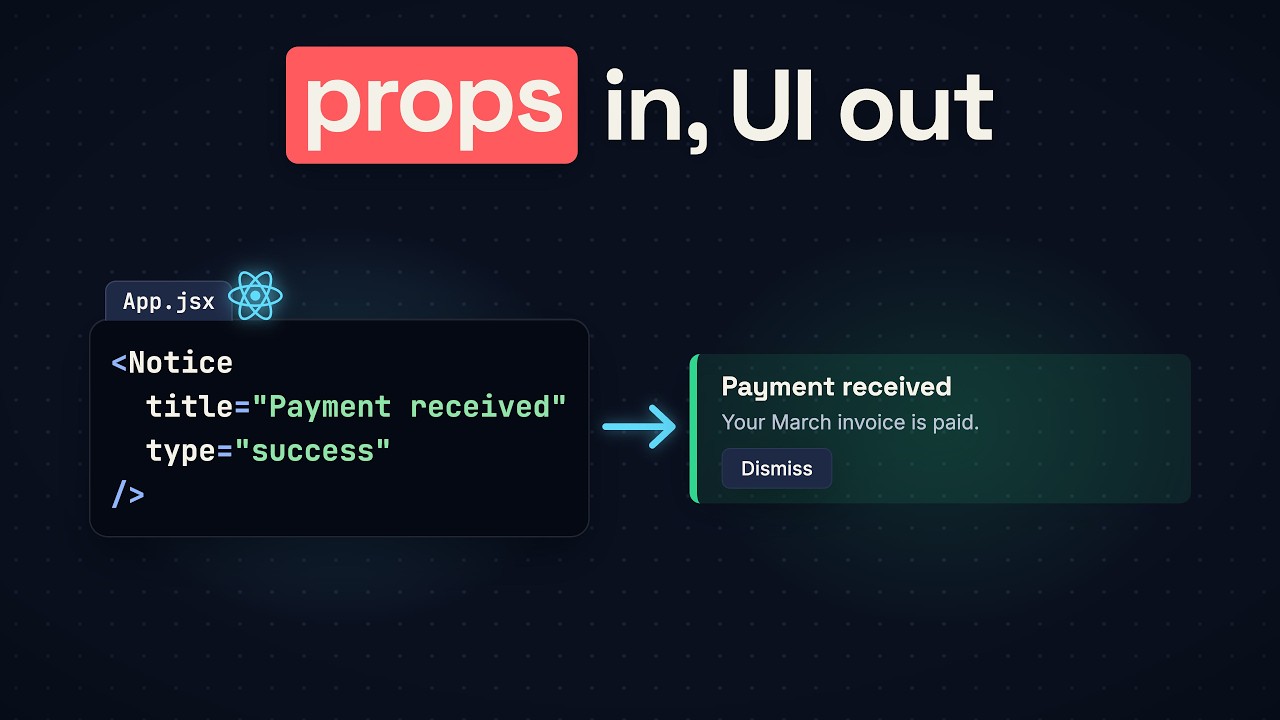
Nobody clicked, but the console says all three notifications were dismissed, and a real click does nothing. The cause is one pair of parentheses, and the full answer is what a prop is. We rebuild a small notification panel from three copied blocks and pass in one prop at a time: data with title and type, read-only props, destructuring and default values, content with children and composition, and a function the child calls to talk to its parent. Then the second mystery: why every line printed twice, and what Strict Mode is for.
 6:46
Lesson 4
React state and useState
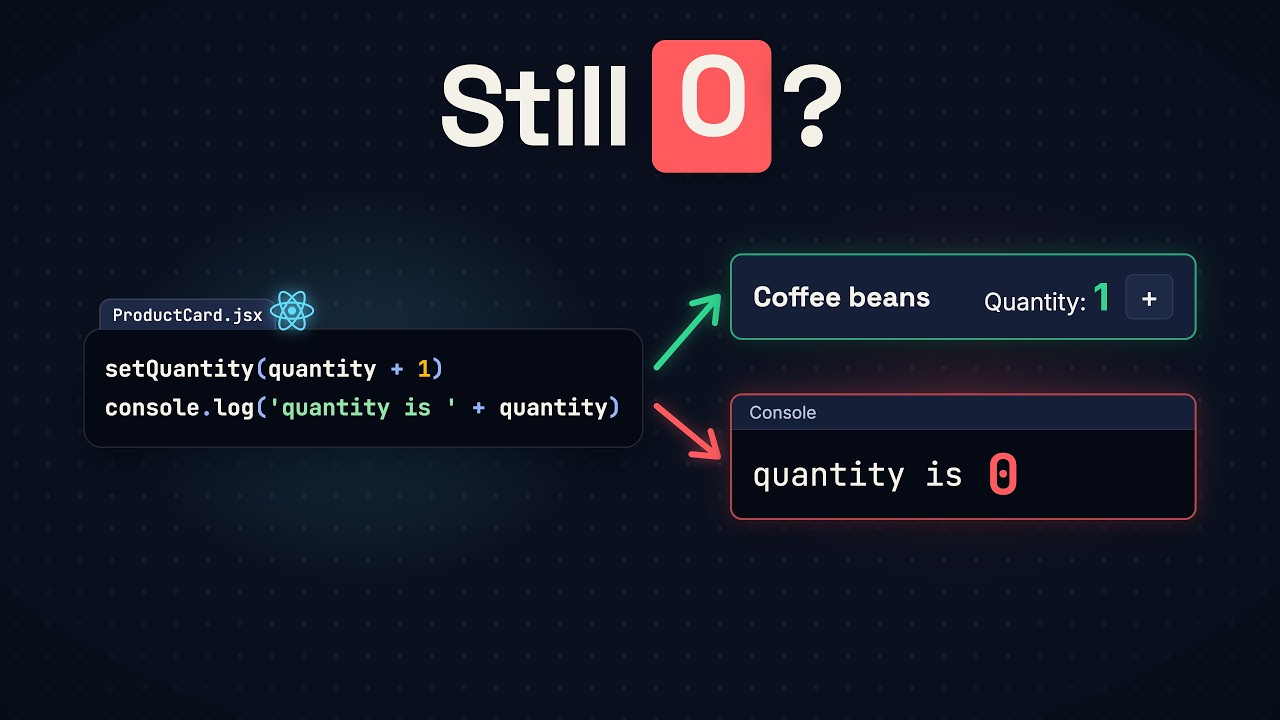
Click the plus button five times: the console says five, the page still says zero. A plain variable can't hold a number from one render to the next, and changing it tells React nothing. useState does both jobs. We rebuild a small shop counter and break it three times on the way: two cards sharing one variable, "Too many re-renders", and a blank page from "Rendered more hooks than during the previous render". By the end you'll know what state is, where React keeps it, how every copy of a component gets its own, why Hooks go above every return, and the difference between props and state.
 6:03
Lesson 5
React state snapshots and batching
You set React state to 1 and the next line still reads 0. See why in the first minute, and how to get the new value. Then two bugs the same rule causes (a "buy 2, get 1 free" button that adds one, and clicks that go missing while the server answers), the one change that fixes both, and the bug this rule saves you from. Along the way: state as a snapshot, batching, updater functions, and whether setState is really asynchronous.
 7:16
Lesson 6
React lists and keys
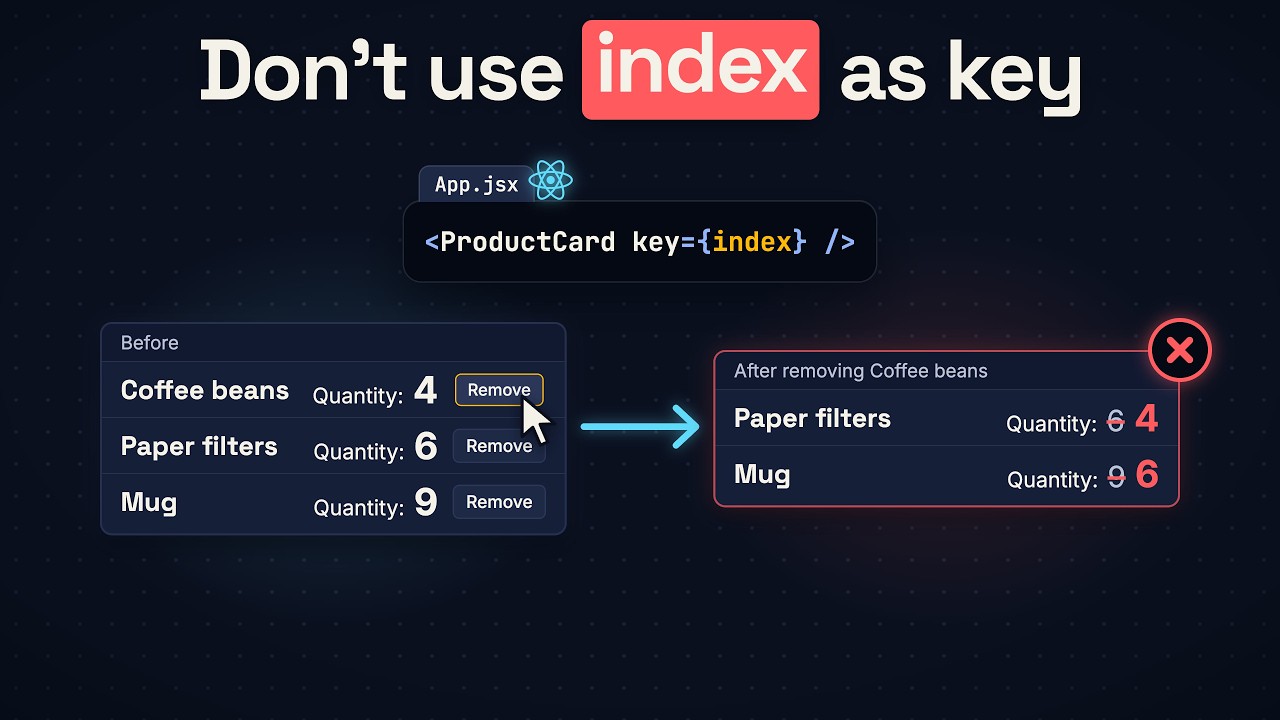
You wrote key={index} to make React's warning go away. See what it breaks in the first minute, and what to write instead. Then a key that looks safer and does more damage, where a good key comes from, how a key resets a component on purpose, and the one case where the index is safe. Along the way: how React matches the rows of two renders (reconciliation), and what it keeps and what it destroys.
 6:40
Lesson 7
React forms and controlled inputs
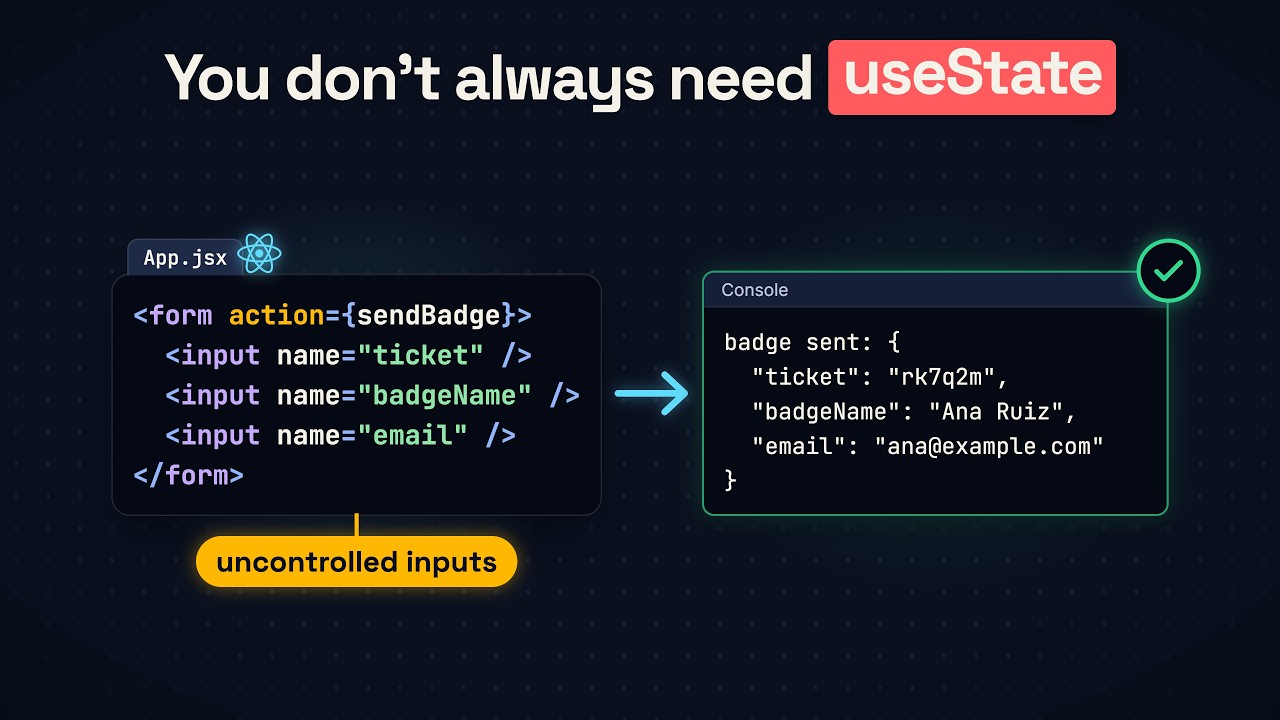
A React form can work with zero useState: see it print every field in the first 15 seconds, sent the React 19 way, with the action prop. Then find out what the browser already does for a form, why an input with a value can't be typed in, what state adds and what it costs, and why showing a code in capitals is a job for one line of CSS, not state. It ends with a two-question test for choosing between a controlled and an uncontrolled input.
 6:52
Lesson 8
React state with objects and arrays
You pushed a song into an array in React state and the page didn't show it. See why in the first 30 seconds, and the fix. Then where the pushed song went (and why it shows up after a click on something unrelated), how to add, remove and sort with a new array, why sort() looks right and changes nothing, and the second bug: a copy that shares its objects, caught by an Undo button. It ends with the rule for which copies any change needs, and the answer to "why shouldn't you mutate state in React?".
 7:27
Lesson 9
React lifting state up
A seat page says zero tickets while three seats are still picked, because its state lives in two places. See the answer in the first 30 seconds: when two components need the same state, it goes in the closest component above both. Then lifting state up step by step, a total that is one click behind (and why you calculate it instead of storing it), a summary that copies its props into state and stops updating, and the question at the end: should every piece of state go in the top component? It ends with the answer to "where should state live?" as an interviewer would ask it.