React state and useState
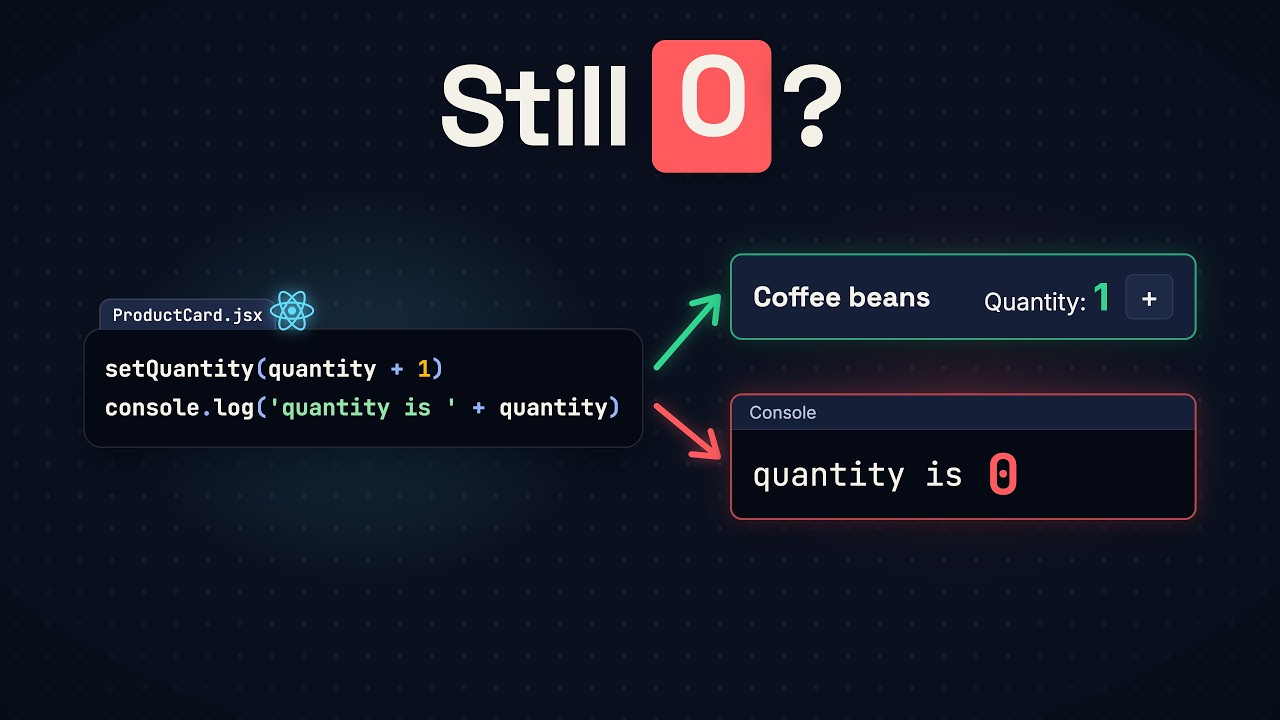
Click the plus button five times: the console says five, the page still says zero. A plain variable can't hold a number from one render to the next, and changing it tells React nothing. useState does both jobs. We rebuild a small shop counter and break it three times on the way: two cards sharing one variable, "Too many re-renders", and a blank page from "Rendered more hooks than during the previous render". By the end you'll know what state is, where React keeps it, how every copy of a component gets its own, why Hooks go above every return, and the difference between props and state.

In this lesson
Here’s a shop page with two product cards, coffee beans and paper filters, each with a quantity and a plus button. The quantity lives in a plain variable. Click the plus button on the coffee beans five times, and the console says the quantity is 5. The page still says 0.
So why can’t React just use the variable? Because React isn’t watching it. React drew the page by running your function, and changing a variable doesn’t make React run the function again. And if React did run it again, the function’s first line would set the quantity back to zero. You need two things: a number that survives when React runs your function again, and a way to ask for that run. React has one function for both, useState. This lesson rebuilds the counter and breaks it three times on the way: where React keeps that number, how every copy of a component gets its own, and how one line in the wrong place leaves you a blank page.
The code runs in a React project made with Vite (npm create vite@latest, then React and JavaScript, with Oxlint as the linter). Each example replaces src/App.jsx.
A variable that never shows
The stuck counter is one component, ProductCard. React runs it to get the markup, and that run is called rendering. The plus button’s onClick holds an event handler, a function React runs on every click. This one adds one to quantity and logs it:
function ProductCard({ name }) {
  let quantity = 0

  function add() {
    quantity = quantity + 1
    console.log('quantity is ' + quantity)
  }

  return (
    <div className="product">
      <h3>{name}</h3>
      <p>Quantity: {quantity}</p>
      <button onClick={add}>+</button>
    </div>
  )
}

export default function App() {
  return (
    <section className="shop">
      <h2>Shop</h2>
      <ProductCard name="Coffee beans" />
      <ProductCard name="Paper filters" />
    </section>
  )
}
Five clicks on the coffee beans print quantity is 1 up to quantity is 5, and both cards keep showing Quantity: 0.
The page didn’t miss the change by accident. Vite rewrites the paragraph as a function call, and the call copies the value the variable held at that moment:
<p>Quantity: {quantity}</p>
// becomes
jsxs("p", { children: ["Quantity: ", quantity] })
You can check that in Node: save this as markup.mjs in the project and run node markup.mjs.
import { jsxs } from "react/jsx-runtime";

let quantity = 0;
const element = jsxs("p", { children: ["Quantity: ", quantity] });
quantity = 5;
console.log(element.props.children); // [ 'Quantity: ', 0 ]
The markup was made while quantity was 0, and changing the variable afterward doesn’t touch it. Only a new render would make new markup.
Move the variable out?
The fix a JavaScript developer reaches for first: a new render would start the variable over, so move it out of the function, where nothing starts it over.
let quantity = 0

function ProductCard({ name }) {
  function add() {
    quantity = quantity + 1
    console.log('quantity is ' + quantity)
  }

  return (
    <div className="product">
      <h3>{name}</h3>
      <p>Quantity: {quantity}</p>
      <button onClick={add}>+</button>
    </div>
  )
}(App stays as it was.) Click the plus button on the coffee beans, and the console says quantity is 1. The page still says 0, because nobody asked React to render. Now click it on the paper filters, and the console says quantity is 2. Both cards run the same function, so they share one variable.
A plain variable loses either way. Inside the function, it starts over on every render. Outside, every copy of the component shares it. And React never hears about the change.
useState
Import useState from React and call it on the first line of ProductCard, with the starting value, 0. It hands back an array of two things: the current value, and a function that sets the next one. The square brackets on the left are array destructuring, and they name the two quantity and setQuantity. A value React keeps for you like this is called state. In the handler, stop assigning to the variable and call setQuantity with quantity + 1:
import { useState } from 'react'

function ProductCard({ name }) {
  const [quantity, setQuantity] = useState(0)

  function add() {
    setQuantity(quantity + 1)
  }

  return (
    <div className="product">
      <h3>{name}</h3>
      <p>Quantity: {quantity}</p>
      <button onClick={add}>+</button>
    </div>
  )
}
Click the plus button on the coffee beans, and the page says Quantity: 1. Click again, and it says 2. The paper filters still say 0.
That call to setQuantity did two jobs. It gave React the new value, and it asked React to render this copy of ProductCard again. So React ran the function again, and this time useState handed back 1, not 0.
Too many re-renders
Asking for a render is also why setQuantity has to wait for the click. Try a shortcut: remove the handler and write setQuantity, with its parentheses, straight into onClick:
function ProductCard({ name }) {
  const [quantity, setQuantity] = useState(0)

  return (
    <div className="product">
      <h3>{name}</h3>
      <p>Quantity: {quantity}</p>
      <button onClick={setQuantity(quantity + 1)}>+</button>
    </div>
  )
}
The page is blank, and the console says:
Uncaught Error: Too many re-renders. React limits the number of renders to prevent an infinite loop.The parentheses are the problem. The tag becomes a function call, and the value written for onClick is itself a call:
<button onClick={setQuantity(quantity + 1)}>+</button>
// becomes
jsx("button", { onClick: setQuantity(quantity + 1), children: "+" })
So setQuantity runs during rendering, before any click. It asks for a render, that render runs it again, and React stops the loop with an error.
Keep the two apart. Rendering only works out the markup. Setting state waits until something happens, like a click. Put the add handler back, and the counter works again. But its first line, useState(0), just ran again too, and it still says zero.
Why doesn’t it reset?
Because your function doesn’t keep the state. React does, in its own memory, with a separate slot for every copy of the component on the page. That’s how the coffee beans and the paper filters each get their own number.
The zero is only a starting value. The first time React renders a copy, useState puts 0 in that copy’s slot. On every render after that, useState ignores the 0 and hands back what’s in the slot.
You can watch the difference. Put a plain variable back beside the state, and add one to both on every click:
function ProductCard({ name }) {
  let count = 0
  const [quantity, setQuantity] = useState(0)

  function add() {
    count = count + 1
    console.log('count is ' + count)
    setQuantity(quantity + 1)
  }

  return (
    <div className="product">
      <h3>{name}</h3>
      <p>Quantity: {quantity}</p>
      <button onClick={add}>+</button>
    </div>
  )
}
After three clicks on the coffee beans, the page says Quantity: 3. The console says count is 1 three times (Chrome stacks them into one line with a 3 beside it). Each render made a new variable that started at 0. The state came out of React’s memory.
Which state is which?
What if one component keeps two pieces of state? React has to tell them apart.
Add gift wrap and watch. A card with nothing in the cart only needs an “Add to cart” button, so ProductCard returns early when the quantity is zero. Gift wrap only matters once something is in the cart, so its state goes where it’s used, below that return: a second useState, named gift, starting at false.
function ProductCard({ name }) {
  const [quantity, setQuantity] = useState(0)

  function add() {
    setQuantity(quantity + 1)
  }

  if (quantity === 0) {
    return (
      <div className="product">
        <h3>{name}</h3>
        <button onClick={add}>Add to cart</button>
      </div>
    )
  }

  const [gift, setGift] = useState(false)

  function toggleGift() {
    setGift(!gift)
  }

  return (
    <div className="product">
      <h3>{name}</h3>
      <p>Quantity: {quantity}</p>
      <button onClick={add}>+</button>
      <button onClick={toggleGift}>Gift wrap: {gift ? 'yes' : 'no'}</button>
    </div>
  )
}
Both cards load with their “Add to cart” button. Click it on the coffee beans, and the page goes blank. React first logs a warning, “React has detected a change in the order of Hooks called by ProductCard”, with a table of the two renders, and then:
Uncaught Error: Rendered more hooks than during the previous render.useState is a Hook: React’s name for its built-in functions whose names begin with use. React never sees the names you gave your state. It goes by order: the first Hook in a render gets the first slot, and the second gets the second. On the first render, the function returned before the second useState, so React made one slot. On the next render, it met two. The warning’s table shows the same thing: 1. useState in both renders, and 2. undefined before useState after.
That’s the rule for Hooks: they go first in the function, above every return. Move gift up beside quantity:
function ProductCard({ name }) {
  const [quantity, setQuantity] = useState(0)
  const [gift, setGift] = useState(false)

  function add() {
    setQuantity(quantity + 1)
  }

  function toggleGift() {
    setGift(!gift)
  }

  if (quantity === 0) {
    return (
      <div className="product">
        <h3>{name}</h3>
        <button onClick={add}>Add to cart</button>
      </div>
    )
  }

  return (
    <div className="product">
      <h3>{name}</h3>
      <p>Quantity: {quantity}</p>
      <button onClick={add}>+</button>
      <button onClick={toggleGift}>Gift wrap: {gift ? 'yes' : 'no'}</button>
    </div>
  )
}
Both work. “Add to cart” shows Quantity: 1 and Gift wrap: no, the plus button counts up, and the gift button flips between yes and no. The paper filters keep their own “Add to cart” button the whole time.
The linter saw both
Both blank pages came from one line in the wrong place. Vite’s starter project includes a linter, a tool that reads your code for mistakes, and it flags each of those lines before you open the browser. Run npm run lint. On the onClick={setQuantity(quantity + 1)} version it warns:
Cannot call setState during renderOn the useState below the early return, it reports an error:
React Hook "useState" is called conditionally. React Hooks must be called in the exact same order in every component render.It also warns about the plain variables in the first counter and in the count example: “Cannot reassign variable after render completes”, with the advice to use state instead.
Still the old number
One thing in this counter still won’t make sense. Log quantity on the line right after setQuantity:
function add() {
  setQuantity(quantity + 1)
  console.log('quantity is ' + quantity)
}
Click the plus button on the coffee beans. The page says Quantity: 1. The console says quantity is 0. On the line right after setQuantity, quantity is still the old number. The reason is the next step in this course.
In one line
A variable starts over on every render, and changing it tells React nothing. State is a value React keeps for one copy of a component from one render to the next, and its set function is how you ask for the next render. If an interviewer asks for the difference between props and state: props come from the parent, and the component only reads them. State is the component’s own, and it changes only through its set function.
Video transcript
5 clicks, still 0
This React counter keeps its number in a plain variable, and it's stuck at zero. Click the plus button five times, and the console says the quantity is five. The page still says zero. Why can't React just use the variable? Because React isn't watching it. React drew this page by running your function, and changing a variable doesn't make React run the function again. And if React did run it again, the first line would set the quantity back to zero. So you need two things: a number that survives when React runs your function again, and a way to ask for that run. React has one function for both: useState. Swap the variable for useState, and five clicks show five. But that line runs every time too, and it still says zero. So why doesn't the counter go back to zero? To find out, we'll rebuild this counter and break it three times on the way. By the end you'll know where React keeps that number, how every copy of a component gets its own, and how one line in the wrong place leaves you a blank page.
Move the variable out?
The stuck counter is one function, ProductCard. React runs it to get the markup, and that run is called rendering. The plus button's onClick holds an event handler, a function React runs on every click. This one adds one to quantity and logs it. So try the fix a JavaScript developer reaches for first. A new render would start the variable over, so move it out of the function, where nothing starts it over. Click the plus button on the coffee beans. The console says one, and the page still says zero, because nobody asked React to render. Now click it on the paper filters. The console says two. Both cards run the same function, so they share one variable. A plain variable loses either way. Inside the function, it starts over on every render. Outside, every copy shares it. And React never hears about the change.
useState
So use React's answer. Import useState from React, and call it on the first line of ProductCard with the starting value, zero. It hands back an array of two things: the current value, and a function to set the next one. The square brackets on the left name them quantity and setQuantity. A value React keeps for you like this is called state. In the handler, stop assigning to the variable, and call setQuantity with quantity plus one. Now click the plus button on the coffee beans. The page says one. Click again, and it says two. And the paper filters still say zero. That call to setQuantity did two jobs. It gave React the new value, and it asked React to render this copy of ProductCard again. So React ran the function again, and this time useState handed back one, not zero.
Too many re-renders
Asking for a render is also why setQuantity has to wait for the click. Try a shortcut: remove the handler and write setQuantity, with its parentheses, straight into onClick. You get a blank page. The console says "Too many re-renders". With the parentheses, setQuantity runs during rendering, before any click. It asks for a render, that render runs it again, and React stops the loop with an error. So keep the two apart. Rendering only works out the markup. Setting state waits until something happens, like a click. Put the handler back, and the counter works again. But its first line just ran again too, and it still says zero.
Why doesn't it reset?
So why doesn't the counter go back to zero? Because your function doesn't keep the state. React does, in its own memory, with a separate slot for every copy of the component on the page, which is how the coffee beans and the paper filters each get their own number. And the zero is only a starting value. The first time React renders a copy, useState puts zero in that copy's slot. On every render after that, useState ignores the zero and hands back what's in the slot. You can watch the difference. Put a plain variable back beside the state, and add one to both on every click. After three clicks, the page says three. The variable says one, every time. Each render made a new variable. The state came out of React's memory.
Which state is which?
But what if one component keeps two pieces of state? React has to tell them apart. Add gift wrap and watch. A card with nothing in the cart only needs an "Add to cart" button, so ProductCard returns early when the quantity is zero. Gift wrap only matters once something is in the cart, so its state goes where it's used, below that return: a second useState, named gift, starting at false. Click "Add to cart", and you get a blank page. The console says "Rendered more hooks than during the previous render". useState is a Hook: React's name for its built-in functions that begin with "use". And React never sees the names you gave your state. It goes by order: the first Hook in a render gets the first slot, and the second gets the second. On the first render, the function returned before the second useState, so React made one slot. On the next render, it met two. That's the rule for Hooks: they go first in the function, above every return. Move gift up beside quantity, and both work.
Why not a variable?
So why can't React just use a variable? A variable starts over on every render, and changing it tells React nothing. State is a value React keeps for one copy of a component from one render to the next, and its set function is how you ask for the next render. Both blank pages came from one line in the wrong place. Vite's starter project includes a linter, a tool that reads your code for mistakes, and it flags each of those lines before you open the browser. And when an interviewer asks for the difference between props and state, you have the answer. Props come from the parent, and the component only reads them. State is the component's own, and it changes only through its set function.
Still the old number
One thing in this counter still won't make sense. Log quantity on the line right after setQuantity, and click the plus button. The page says one. The console says zero. On the line right after setQuantity, quantity is still the old number. The reason is the next step in this course. The next video is on screen now.